 Trek10 Team
Caylent Services
Cloud Operations & Managed Services
Reliably Operate and Optimize Your AWS Environment
Discover why managing SSH keys doesn’t scale in growing AWS environments and how to replace them with AWS Systems Manager (SSM) Session Manager for secure, key-less instance access and simplified operations.
This blog was originally written and published by Trek10, which is now part of Caylent.
As your AWS environment grows, inevitably your organization starts facing the challenge of managing ssh keys. With such an important part of security relying on these keys, resorting to sharing or other solutions is both tricky and a bit scary.
AWS offers a solution for this type of problem; it provides us with SSM service (AWS System Manager). This tool has several important features that allow us to perform some operation on Linux or Windows OS:
AWS, through SSM, provides us with the session manager. This feature is available in the SSM agent in versions 2.3 and above. Session Manager allows us to connect into an instance and get a shell session through the usage of HTTPS TLS1.2/ port 443, without having to use SSH keys. It’s important to understand that this is NOT an SSH connection but rather an HTTPS connection.
SSM Agent is preinstalled, by default, on the following Amazon Machine Images (AMIs):
If the agent is not installed, it can be manually set up according to documentation.
However, if the agent is already installed and you used the agent for other purposes like patching but is in version 2.2 or lower, we can upgrade from the AWS console level.
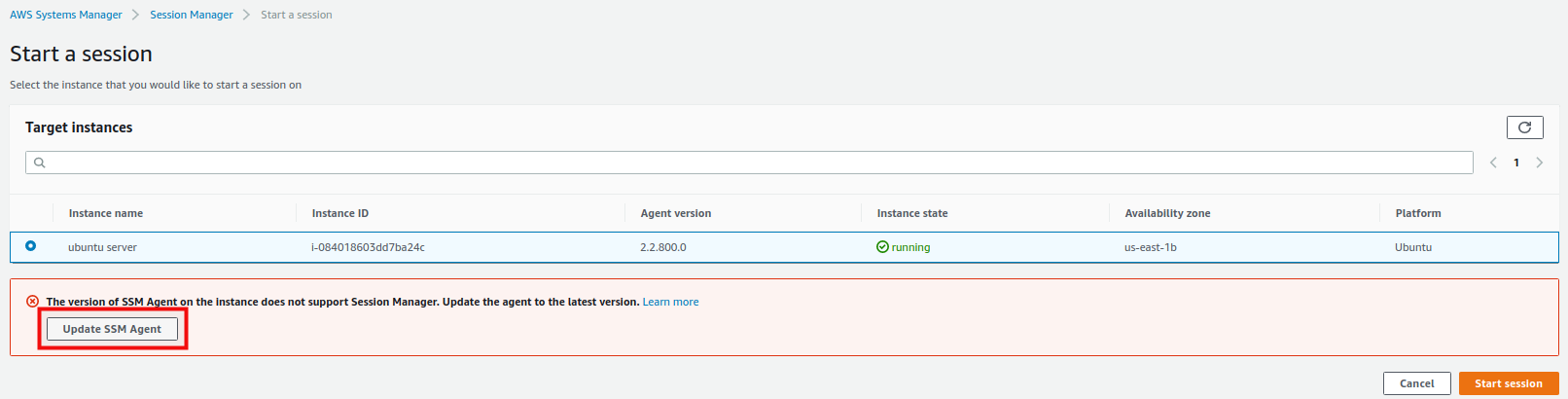
The EC2 instance requires an IAM Instance Profile — you can follow with this instruction to create a role.
It is worth remembering to also create appropriate policies that allow you to save logs to S3 or Cloudwatch.
Setup proper permission for IAM profile - We recommend creating your own custom policy - according to the recommendations available at this link because, according to best practice, SSM should not have any redundant permissions.
If everything above checks out, let’s use the Session Manager.
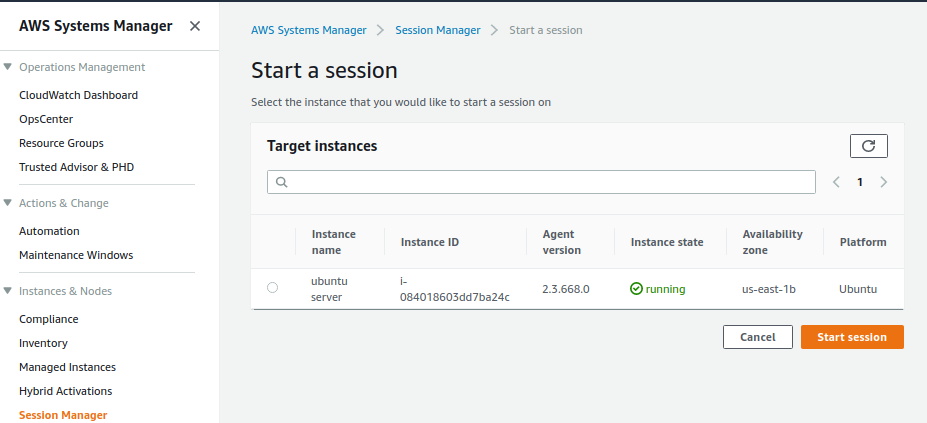
If the configuration was successful, we should have access to our server through the browser!
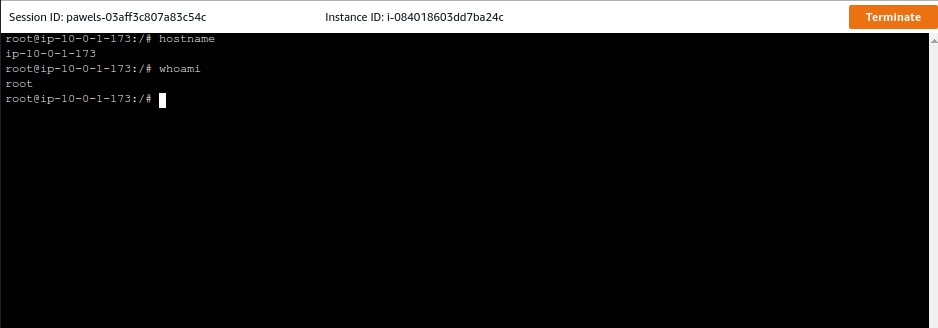
Thanks to this we can easily manage servers without having to store any ssh keys!
Founded in 2013, Trek10 helped organizations migrate to and maximize the value of AWS by designing, building, and supporting cloud-native workloads with deep technical expertise. In 2025, Trek10 joined Caylent, forming one of the most comprehensive AWS-only partners in the ecosystem, delivering end-to-end services across strategy, migration and modernization, product innovation, and managed services.
View Trek10's articlesCaylent Services
Reliably Operate and Optimize Your AWS Environment
Caylent Services
Quickly establish an AWS presence that meets technical security framework guidance by establishing automated guardrails that ensure your environments remain compliant.

Explore how Amazon Bedrock AgentCore’s latest capabilities shift the role of managed services providers needed to run agents reliably in production.
The reactive human-plus-tools model has hit its ceiling. Learn why world-class AWS agentic cloud operations require agents governed by domain experts.
Explore how Caylent and AWS are helping organizations move from AI experimentation to execution by combining agentic AI, modernization, and next-generation cloud operations to deliver faster, more secure, and more scalable business outcomes.
