 Melissa Leide
Caylent Services
Product Strategy and Experience
Define product direction, design trusted experiences, and deliver AI-enabled products built for adoption, scale, and measurable outcomes.
Chatbots aren’t the only way to surface AI, and often, they’re the wrong choice. Discover intelligent interface patterns that drive AI adoption, build user trust, and deliver measurable ROI without forcing users to craft the perfect prompt.
Most teams building AI products make the same mistake: they default to chatbots. It feels fast, familiar, and checks the 'AI-powered' box. But that early decision often determines whether your AI investment gains real traction, or quietly stalls before delivering value. AI interface design deserves more strategic thought.
AI doesn't always need to talk to be smart; the best AI user experience prioritizes clarity and speed over conversation. Smart AI interface design starts by understanding what users actually need.
When users interact with AI repeatedly, they move beyond learning features and begin developing a working relationship. Trust calibrates through repeated success and failure, and expectations form around what the system can and can't do. The interface either supports this relationship arc or undermines it from the start.
Rather than getting stuck on the merits of chatbots, teams are better served by thinking strategically about interface design. Choosing the right interface can unlock the full potential of the AI you're already building.
Teams often mistake the interface for the AI, overlooking the fact that it functions primarily as a delivery layer rather than the source of intelligence.
Think of the Large Language Models (LLMs) as the engine and the interface as the steering wheel. The same engine can power a sports car, a delivery truck, or a commuter train. The experience depends entirely on how it’s controlled. Whether you surface AI through chat, dashboards, inline suggestions, or structured workflows, the intelligence underneath can be identical. What changes is the effectiveness of its delivery. When interfaces are designed intentionally, AI becomes easier to use, easier to trust, and far more valuable.
It’s easy to see why conversational AI and chatbots became the default choice. They’re fast to prototype, make the capabilities of LLMs immediately visible, and are often easier to conceptualize than more deeply embedded AI experiences. For many teams, they also feel like a shortcut: an assumption that letting users ask for what they need can stand in for designing a more intentional interface.
However, that’s where things can start to unravel, as often, things can go wrong in practice:
Many chatbots ultimately become conversational interfaces for knowledge bases. While that can address a narrow use case, it rarely captures the full value AI can deliver and often limits the interface’s intelligence.
Before deciding how AI should appear in your product, it’s worth stepping back to ask:
When users need speed, confidence, or precision, a chatbot often introduces more friction than value. In those moments, interface choice becomes less about design preference and more about trust. As soon as AI steps in to assist, the user is standing at the seam between human and machine and making a snap judgment: Do I trust this?
That trust is shaped by clarity, context, and control. But it's also shaped by the burden we place on users to know how to interact with AI.
Every prompt becomes a high-stakes input. The quality of the response hinges on whether the user knows the right way to ask. That's a mental toll most users don't realize they're carrying.
Interfaces that reflect what users are trying to accomplish build confidence over time. They don't force users to guess, prompt, or navigate ambiguity. When the experience feels unclear, inconsistent, or requires too much prompting, user confidence quickly erodes. This is why product strategy must drive modernization decisions, not the other way around.
Effective AI interface design starts with a clear goal. Goals anchor the interaction for both the user and the system. They give the AI something concrete to act on while providing the user with direction instead of a blank slate. Whether the task is drafting content, surfacing insights, or highlighting what matters most, clarity creates momentum. Well-designed experiences also allow interactions to shift naturally toward flexible ownership. Sometimes the AI leads with a suggestion, while X other times the user takes control. This mixed-initiative approach fosters collaboration, where intelligence supports progress rather than getting in the way.
When every interaction is grounded in a shared goal, AI feels less like a mysterious tool and more like a capable partner. It helps users move forward with confidence instead of confusion.
Let's look at alternatives that align better with real user behavior, especially in high-stakes or enterprise workflows. These interfaces run on the same intelligence as a chatbot but deliver more focused experiences.
AI surfaces key insights automatically, before users ask.
Example: A customer success dashboard highlighting accounts at risk, based on recent trends and support sentiment.
Why it works: This reduces time spent digging through data and builds trust by showing "the AI knows what matters."
AI generates draft content or recommended actions that users can easily review, refine, and approve.
Example: Gmail's "Help Me Write" generates full email drafts from a brief prompt. Users can then adjust the tone, shorten/expand the message, or regenerate the draft within the compose window.
Why it works: It’s fast with tangible value, putting users in control without starting from scratch.
Just-in-time AI prompts that appear in context, offering guidance exactly when it’s needed.
Example: Gmail's Smart Reply analyzes incoming email content and surfaces contextually appropriate responses as the user types.
Why it works: It’s low-friction, high-relevance, and doesn't interrupt the user's flow.
Structured inputs, enhanced with suggestions and guidance based on what's already been entered.
Example: Adobe Workfront's AI Form Fill analyzes uploaded project briefs and similar past campaigns to auto-suggest budget ranges, timelines, team assignments, and deliverables.
Why it works: It reduces user decision fatigue and keeps things moving without removing user control.

Rather than asking users to initiate, the AI offers an intelligent next step based on the most recent interaction.
Example: Salesforce Einstein Next Best Action displays recommendation cards directly in CRM records. Reps can accept the recommendation or dismiss if the timing isn't right.
Why it works: It sustains momentum, feels supportive, and is not disruptive.
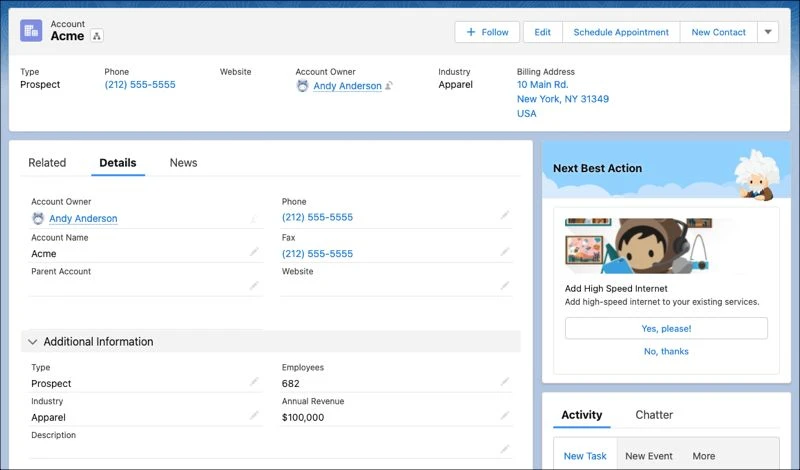
Here are four well-known products that effectively surface intelligence without defaulting to chat interfaces.
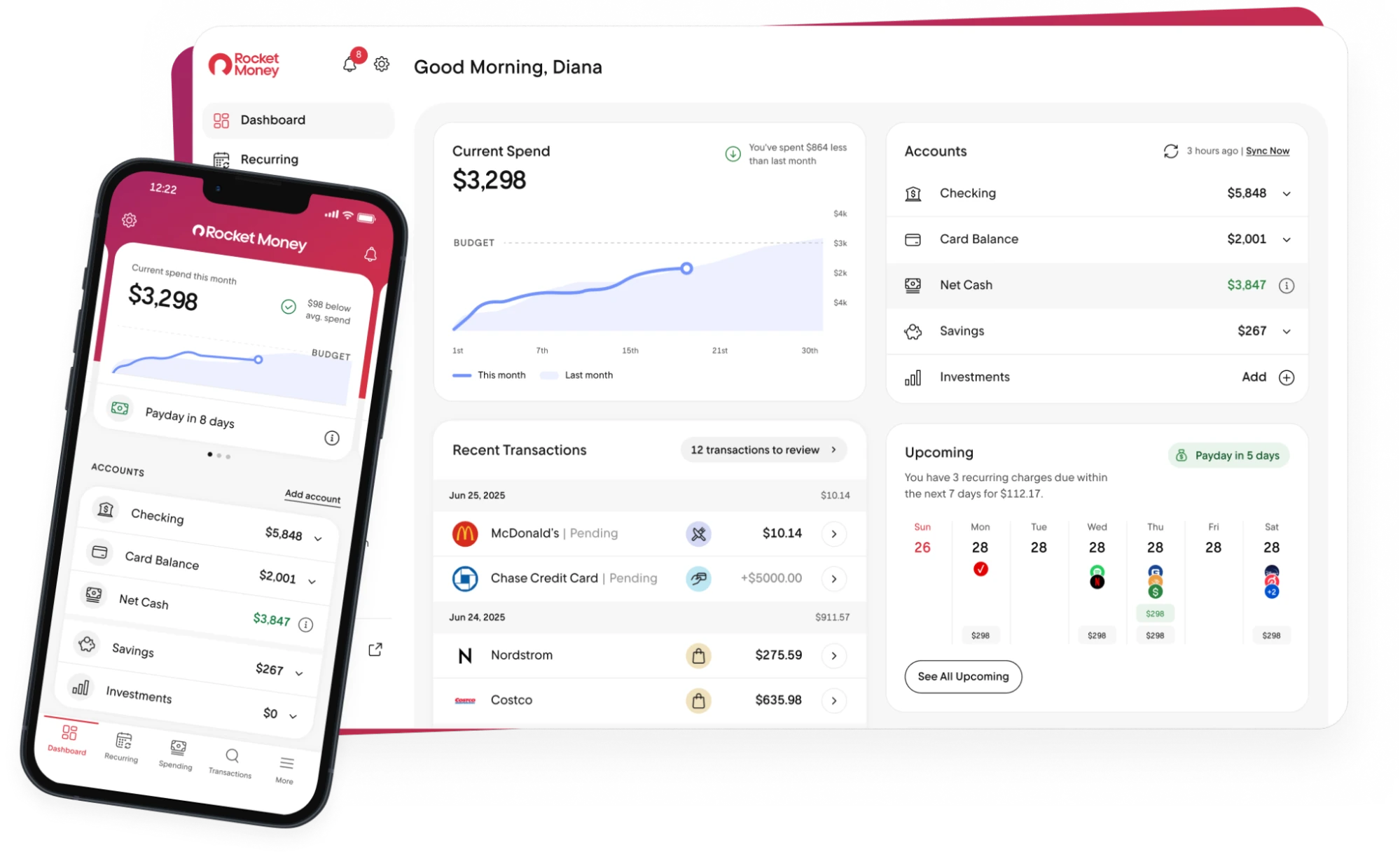
Rocket Money analyzes transaction data and surfaces spend insights, savings opportunities, and subscription cancellation suggestions—no prompt required.
Pattern: Predictive surfacing + micro-suggestions.
Outcome: Builds trust and saves time in a domain (money) where trust is everything.
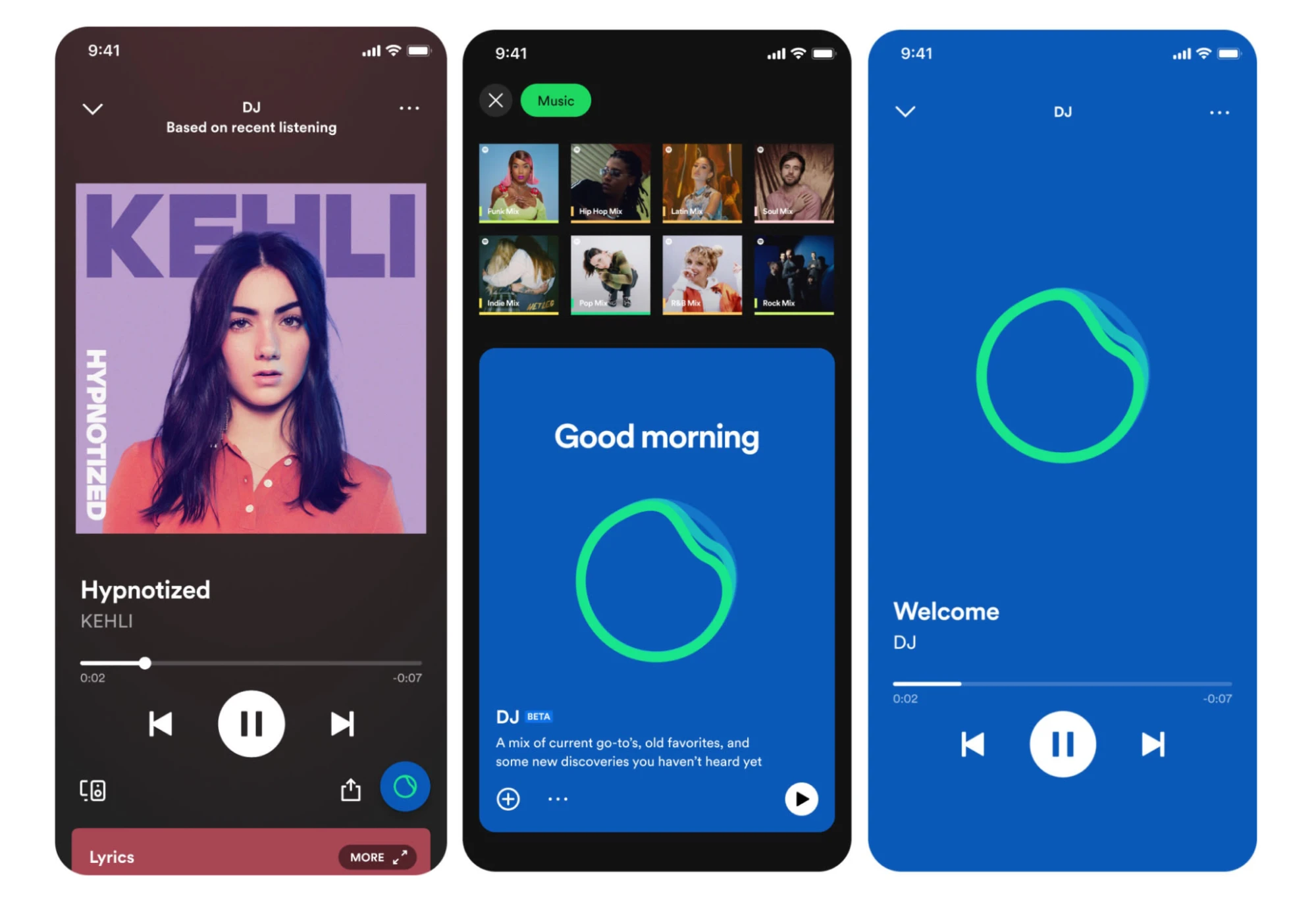
Spotify combines AI-generated playlists with human-like commentary to surface content without user interaction. It's AI that talks, but users never have to.
Pattern: Mixed-initiative, push-based recommendations.
Outcome: High engagement without high effort.

Netflix doesn’t ask users to “chat” with a recommender. Instead, it automatically surfaces recommendations based on viewing behavior and preferences.
Pattern: Predictive surfacing.
Outcome: High engagement, low user effort.
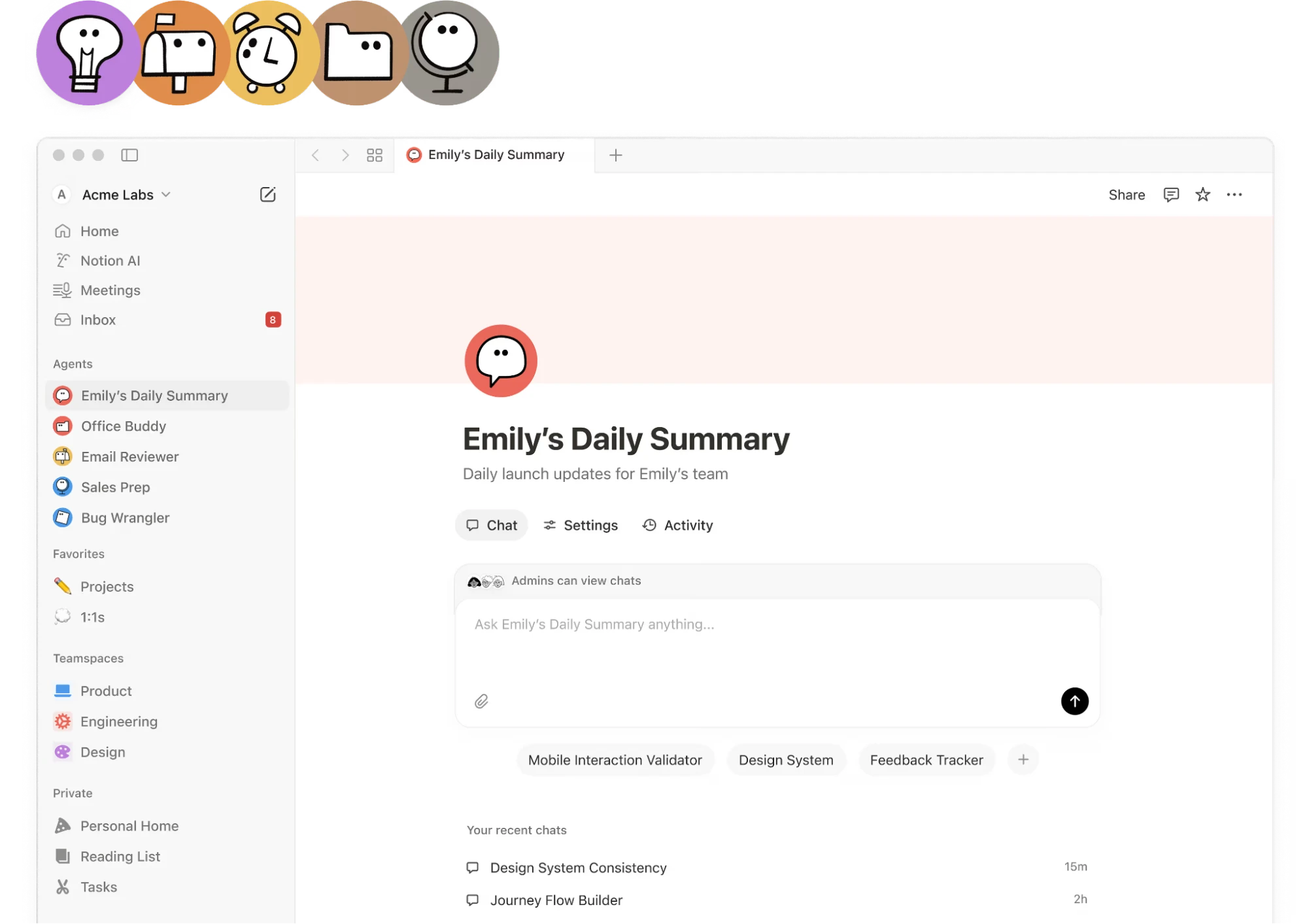
In Notion, AI helps generate content within your doc, refine copy, or summarize text that’s all embedded within the editor. No separate chat window or switching context.
Pattern: Contextual assist + structured control.
Outcome: Seamless content creation with no learning curve.
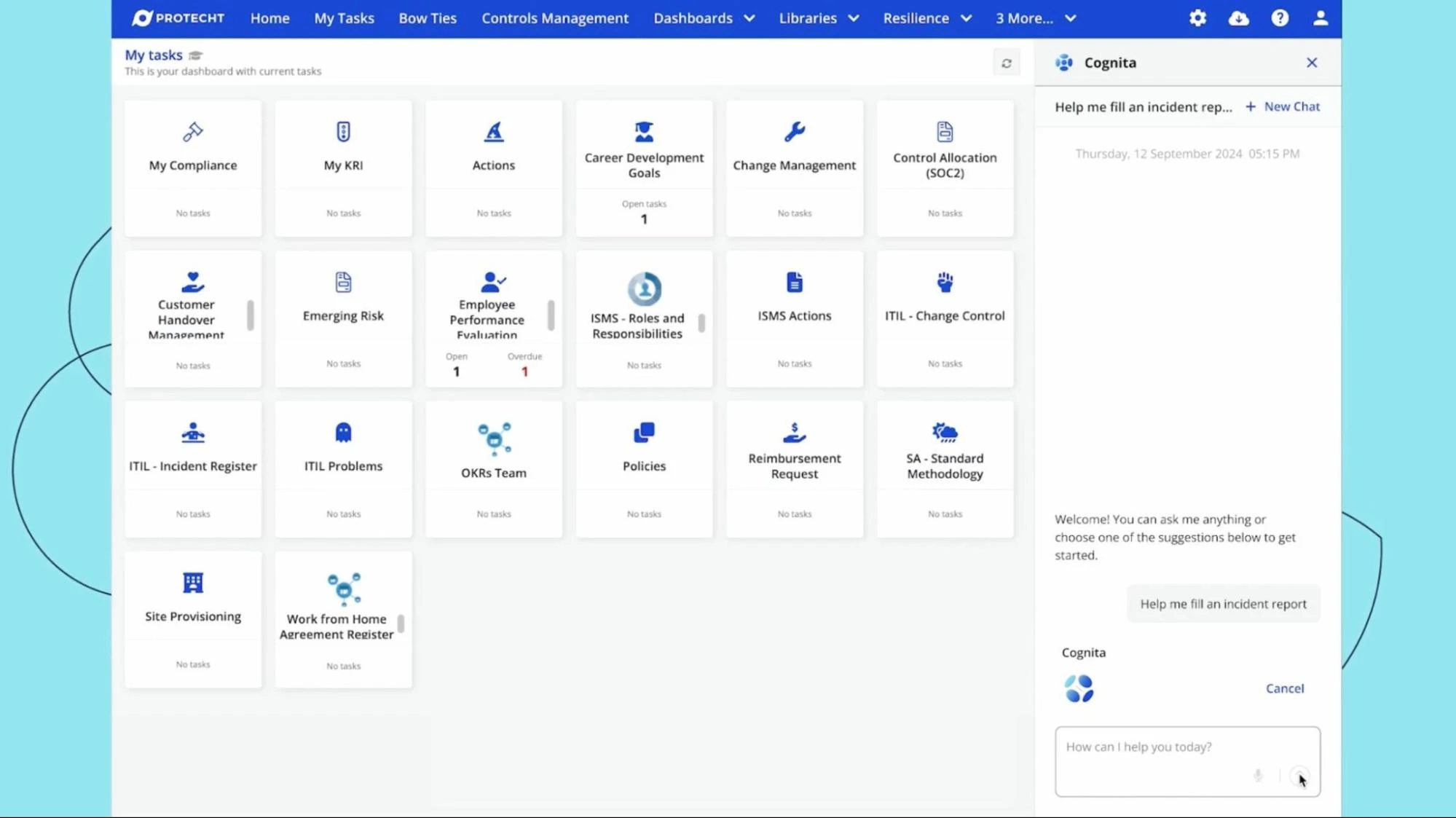
We applied similar principles with Protecht's Cognita, where a guided AI assistant was the right choice because occasional users needed an intuitive, step-by-step approach to navigate complex risk management workflows.
Pattern: AI-guided workflow + natural language prompts.
Outcome: Reduced intimidation and increased engagement in risk reporting for occasional users.
These companies didn't choose chatbots. Instead, they chose interfaces that fit the task and drove adoption through usability, not novelty.
When you match the interaction model to the user's need, everything gets easier:
Organizations focused on cloud-native application development understand that modern UI design and intuitive user interfaces are critical to creating applications that users actually adopt. Choosing the right interface goes beyond design aesthetics and directly impacts overall business strategy.
Even the most advanced AI model falls short if users struggle to access its value. AI interface design is where intelligence meets reality, and that moment defines whether AI feels helpful or frustrating.
Rather than asking whether you should build a chatbot, ask a better question: what's the most effective way to surface this intelligence so users will trust it, adopt it, and rely on it? If you’re not sure where to begin, that’s a problem we’re well-equipped to help solve.
At Caylent, we help teams move beyond default patterns and design AI-powered experiences that users actually adopt. That starts with a deep understanding of user goals, behaviors, and constraints—not just what users say they want, but where they slow down in practice.
From there, we explore a range of interaction models, combining chat, assistive UI, generation surfaces, and embedded patterns as needed. We prototype early, test with real users, and iterate based on evidence rather than assumptions. Along the way, we help teams consider responsibility and risk, ensuring that usability and trust are designed in from the start.
When interface decisions are made thoughtfully and early, teams move faster, reduce risk, and give their AI initiatives the best chance of delivering real ROI. Get in touch with us today to get started.

Melissa Leide is a Senior Design Leader at Caylent, specializing in UX strategy, human-centered design, and emerging technologies like generative AI and voice interfaces. She helps clients transform complex challenges into intuitive experiences that drive engagement and business value. Based in Denver, Melissa spends her free time hiking Colorado's trails and hunting for vintage treasures.
View Melissa's articlesCaylent Services
Define product direction, design trusted experiences, and deliver AI-enabled products built for adoption, scale, and measurable outcomes.
Caylent Catalysts™
Accelerate investment and mitigate risk when developing generative AI solutions.
Leveraging our accelerators and technical experience
Browse GenAI Offerings
AWS will end support for Amazon Pinpoint on October 30, 2026. Learn what's going away and what's surviving, what your migration options are, and how to quickly audit your environment to see your exposure.
Learn why 85% of AI projects fail and how strategic UX design drives trust, adoption, and measurable ROI.
Learn what becoming a SaaS company requires across product, architecture, go-to-market, support, and culture.
